
A private copy beyond your computer
Publish your project to a private GitHub repository so a lost laptop does not have to mean a lost book.
PugWriter turns every chapter, character, clue, and revision into an organized writing system—then gives you the safety of GitHub without making you learn GitHub.
$99 USD one time · 14-day trial, no card · 30-day money-back guarantee
GitHub is not just for programmers. At heart, it is a remarkably good answer to three writer problems: losing work, losing track of versions, and being afraid to change the draft. PugWriter handles the technical vocabulary so you can use the protection.
Publish your project to a private GitHub repository so a lost laptop does not have to mean a lost book.
Commit a clean restore point before the rewrite, then compare what changed instead of naming another file FINAL-final-3.
Experiment knowing the earlier draft still exists. Git remembers the history; PugWriter gives it writer-friendly controls.
Your chapters are Markdown and project knowledge is readable JSON. Your book is not trapped in a mystery database.
What the workflow feels like
PugWriter initializes the project history and puts the useful Git actions where an author expects them. You decide when a draft becomes a milestone and when it goes to GitHub.
Your work saves to ordinary files on your computer.
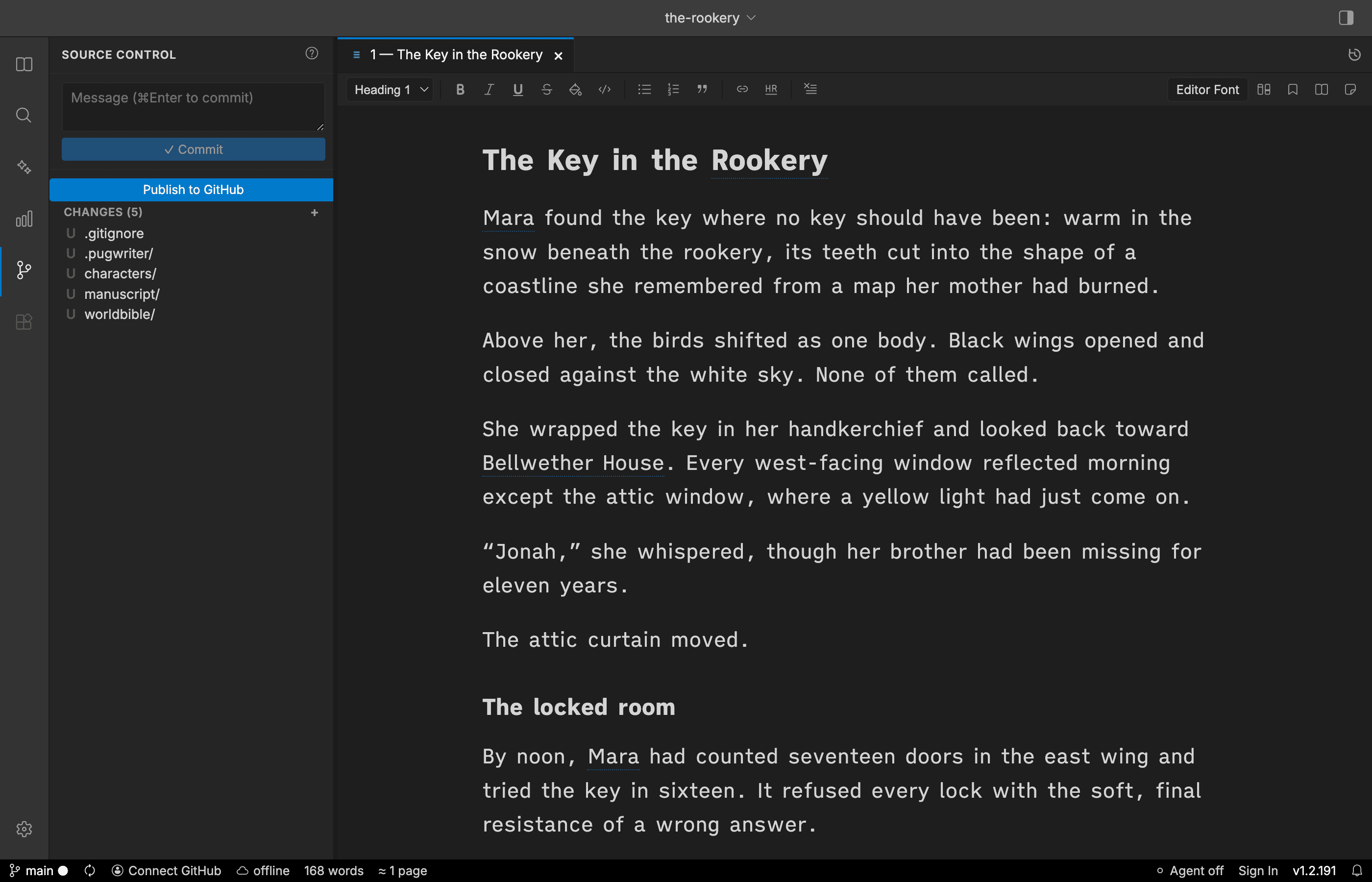
PugWriter shows exactly which project files changed.
Give that writing milestone a plain-language note.
Send it to a private GitHub repository when you choose.
The desktop app, not a mockup
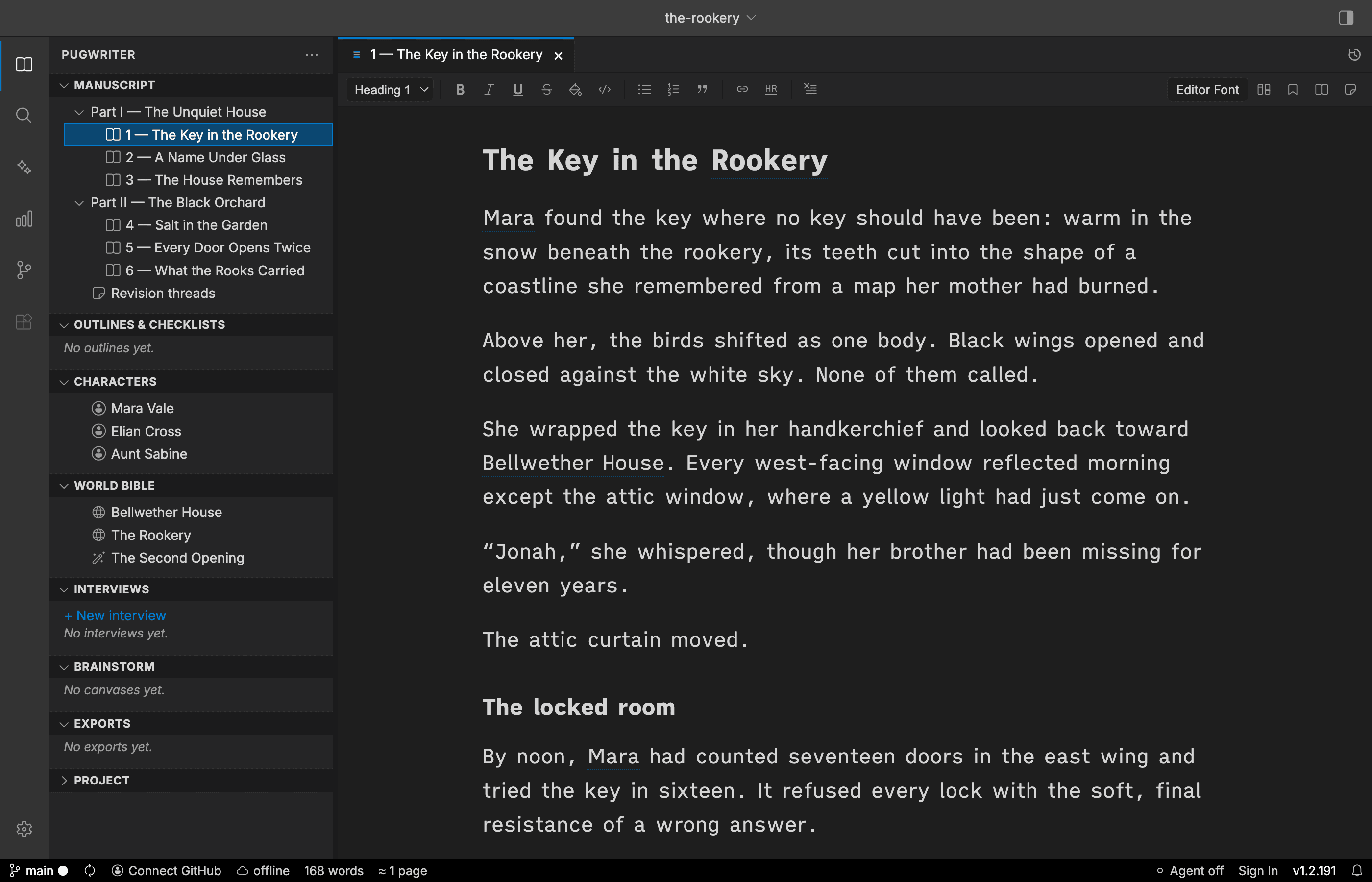
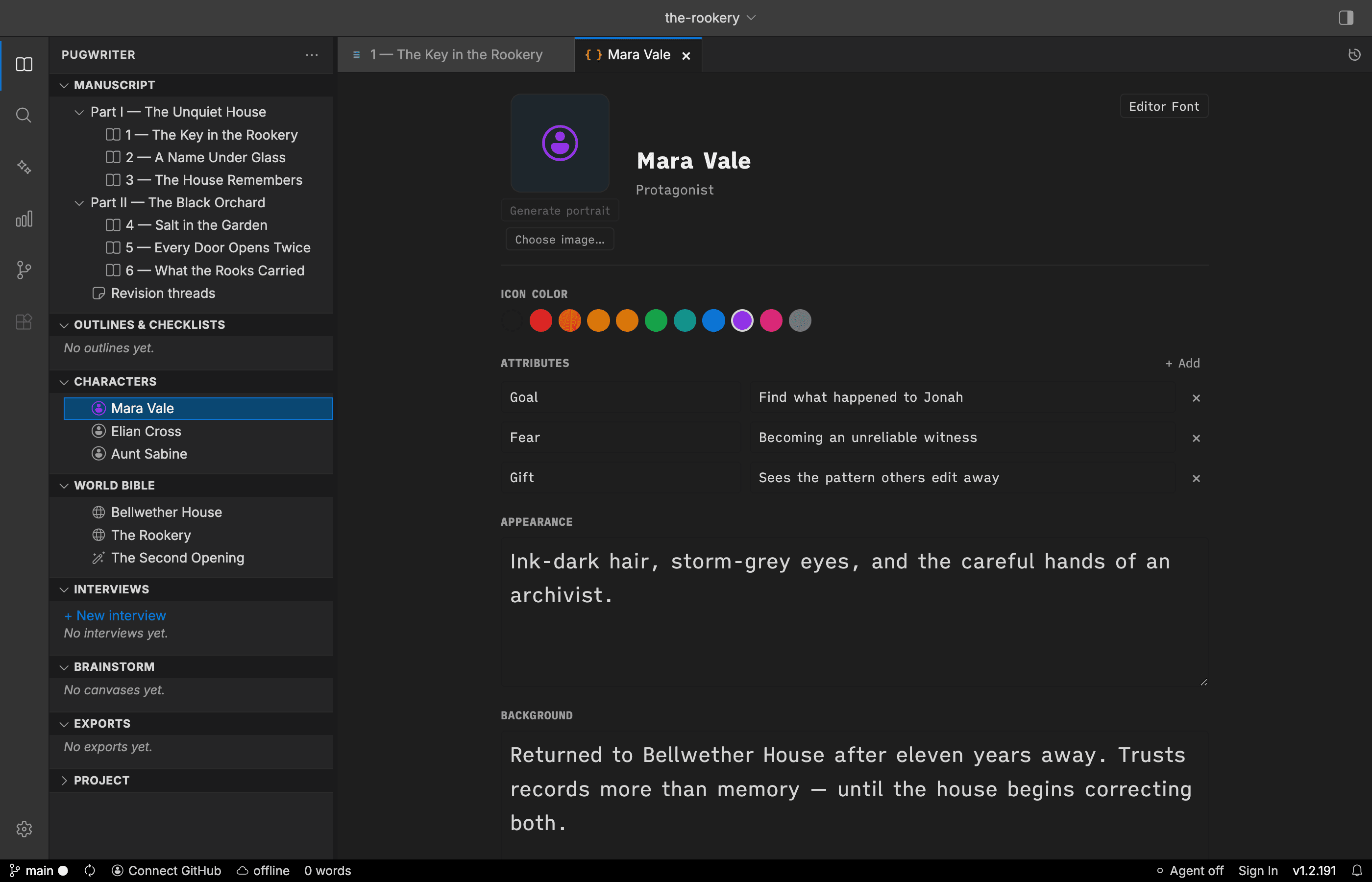
Real screens from the current PugWriter Electron app: the writing desk, source control, and character workshop.
One home for the whole project
Productivity is not just typing faster. It is spending less time hunting for the note, reconstructing a character, second-guessing the latest draft, or rebuilding the book at export time.
Arrange parts, chapters, scenes, folders, and revision notes in one living structure. Move the story without losing the story.
Keep goals, fears, relationships, appearance, background, and portraits beside the draft instead of scattered across documents.
Track places, factions, rules, and events in a searchable reference that stays close while you write.
Use outlines, brainstorm canvases, research, interviews, and chapter notes to turn loose sparks into usable story decisions.
Search every project file at once and jump straight back to the passage, character, or detail you need.
Compile to DOCX, EPUB, print-ready PDF, or Markdown without rebuilding your manuscript in another tool.
A closer look
PugWriter is a complete writing studio without AI. Turn AI off to remove every AI feature and control from the app. If you want assistance, connect your own Anthropic or OpenAI key. The choice is always yours.
Hide all traces of AI with a single setting. Write, plan, and revise with your full writing toolkit and no AI in sight.
Have a focused conversation that teases out decisions before you draft.
Attach chapters, characters, outlines, notes, and memories to the conversation.
AI proposes. You review. Nothing silently rewrites the project behind your back.
Roadmap
The desktop app is a one-time purchase. Online access and hosted AI will be optional subscriptions, added without turning your local writing desk into a rental.
Open your GitHub-backed projects in a browser—starting with comfortable online viewing, followed by editing from anywhere.
Use PugWriter’s AI tools without bringing provider keys. Purchase a simple credit allowance only when you want it.
Review, merge, and resolve parallel contributions through author-friendly workflows built on GitHub’s proven history model.
PugWriter Desktop
One family license for macOS, Windows, and Linux. Use it on all your household computers, with no desktop subscription. Optional online services will be separate when they launch.
Version 1 updates included. Optional discounted upgrade to version 2. How our licensing works
See pricing and purchase details
Checkout is not available yet
Checkout will be provided by Paddle, our merchant of record. Applicable taxes and the final currency and total are shown before payment.
Purchases and trial downloads open soon.
Room to find your rhythm
No card. No automatic charge. Try PugWriter with your own writing, then decide whether it belongs in your routine.
01 · Sign in
Your first verified sign-in starts the 14-day trial. No payment details are needed.
02 · Settle in
Try the desktop writing tools with your own projects. We’ll remind you how much trial time remains and make help easy to reach.
03 · Make your choice
Pay $99 USD once to keep paid access. If the trial ends first, your local files remain yours and you are not charged.
Trial downloads will be available when the desktop release opens.
Questions, answered plainly
Yes. One license covers you and family members living in your household, on all the computers you own and use. macOS, Windows, and Linux are included in the same purchase, with no fixed computer limit. Family members in another household need their own license.
Your purchase includes a perpetual license for version 1 and all updates released within version 1. Version 2 will be an optional paid upgrade at a reduced price for version 1 owners. The upgrade price will be announced before release, and you can keep using version 1 without upgrading.
Your trial starts on your first verified email sign-in. You get 14 days to try the desktop app, with no payment card and no automatic charge. At the end, paid editing features require a purchase; your existing local projects remain yours. Trial downloads open with the desktop release.
No. PugWriter Desktop is $99 USD as a one-time purchase for macOS, Windows, and Linux, with no recurring desktop charge. Any applicable taxes and final currency are shown before payment. Optional online services and hosted AI are separate products when they launch.
Request a full refund within 30 days of your completed desktop purchase, for any reason. Email support@pugwriter.com with your purchase email and order number if available. Trying or using the app does not remove the guarantee. See the Refund Policy linked below for details.
No. PugWriter turns the useful parts into normal actions—review changes, save a milestone, and publish. You can learn the underlying terms later, or never.
Your writing stays on your computer. Internet is required for email sign-in, activation, and periodic license checks. An activated paid license can work offline for up to ten days between successful checks. Renewal is attempted after seven days, with a reconnect reminder if it fails. GitHub publishing and AI requests also need an internet connection.
In a normal folder on your computer. Chapters are Markdown and structured project information is stored in readable JSON, so you retain a portable copy of your work.
Never. PugWriter is a complete writing studio with AI turned off. Today’s optional AI features use your Anthropic or OpenAI key; hosted PugWriter AI credits are on the roadmap.
Give your next writing session a structure—and every session after it a reliable history.
Checkout is not available yet